
Email Found on the Dark Web? Here’s What It Means and What to Do Next
September 9, 2026
If you got an alert saying your email was found on the dark web, it means that address, often along with a password or other personal data, turned up in a breach dataset or stolen-credential list that’s circulating outside public view. It doesn’t necessarily mean someone has broken into your accounts, but it does mean your information is now in the hands of people who might try.
These alerts have become common: services like Capital One’s CreditWise, Experian, TransUnion, IDnotify, and Microsoft Defender all run automated dark web scans and flag your email the moment it appears in a new leak. In fact, over 15 billion credentials are estimated to be circulating on dark web marketplaces and forums today. Hence, a single match against one of those datasets is far from rare, and it’s usually the first sign of a breach you’d otherwise never hear about.
This guide walks through what triggered your alert, how your email likely ended up exposed, how to verify it yourself, and exactly what to do next to limit the damage.
What Does It Mean If Your Email Is Found on the Dark Web?
If your email was found on the dark web, it means that address appeared in a dataset, usually stolen from a company you had an account with, that’s now being shared, sold, or posted on hidden forums and marketplaces outside the reach of normal search engines. The alert itself is just a match notification: a monitoring tool scanned known breach dumps and leak sites and found your email sitting in one of them.
That’s the full extent of what the alert tells you. It doesn’t say how the data got there, what else was exposed alongside it, or whether anyone has actually tried to use it. For that, you need to look at the details of the specific alert, which is what the rest of this guide covers.
The Difference Between “Found” and “Compromised”
“Found” and “compromised” get used interchangeably in these alerts, but they describe different levels of risk. “Found” simply means your email address matched an entry in a leaked dataset; it’s a fact about where your data is, not about what’s been done with it. “Compromised” is a stronger claim: it usually means your email was found paired with something sensitive, such as a password, a security question answer, or payment details, which meaningfully raises the risk of account takeover.
An alert that says “email found” with no accompanying data is a lower-urgency signal than one that says “email and password compromised.” Both are worth acting on, but the second requires immediate password changes for any account using the same login combination.
Why an Alert Doesn’t Always Mean You’ve Been Hacked
Getting a dark web alert doesn’t mean your devices, accounts, or email inbox were compromised; in most cases, the breach occurred on a company’s server, not on your end. Your email address was simply one of potentially millions caught up in a third-party data breach, and the leaked file eventually made its way into the marketplaces and forums these monitoring tools scan.
This is why the same email address can trigger multiple alerts from different services over the years, often for breaches you never even heard about at the time. One widely cited estimate puts the number of exposed username-and-password pairs currently circulating on the dark web at over 15 billion, spanning more than 100,000 breaches. Hence, a match is a statement about where your data ended up, not proof that you personally did anything wrong or that your accounts are currently under attack.
Why Did I Get This Alert?
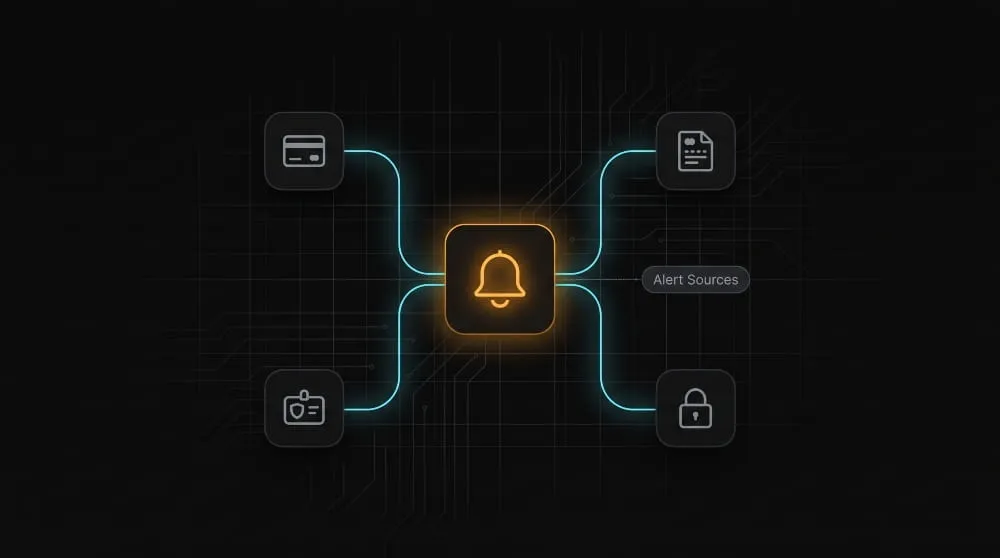
You got this alert because a bank, credit bureau, or identity-monitoring service you’re already enrolled with runs continuous scans of dark web marketplaces and breach dumps, and your email address matched something in that scan. The specific wording, urgency, and amount of detail in the notification depends on which company sent it; each has its own monitoring process and threshold for alerting you.
Capital One / CreditWise Dark Web Alerts Explained
Capital One’s CreditWise tool includes dark web monitoring as a free feature, even for non-Capital One cardholders, and it will email you the moment your enrolled email address (and sometimes an associated password) turns up in a scanned breach dataset. These alerts tend to be fairly bare-bones, often just stating that your email was found without naming the source of the breach, because CreditWise’s monitoring is a byproduct of its broader credit-tracking service rather than a dedicated security product.
If you weren’t expecting the alert, it’s worth checking your CreditWise account directly rather than clicking any links in the email itself, since breach-alert phishing attempts are common and often mimic this kind of notification.
Experian, TransUnion & Credit-Monitoring Alerts
Experian and TransUnion send dark web alerts as part of their identity-protection and credit-monitoring plans, and their notifications are usually more detailed than Capital One’s, often specifying that your email, and sometimes a password or partial account number, was found in a particular breach or on a particular type of forum. Because these bureaus already hold your full credit file, they tend to frame the alert alongside broader identity-theft risk, not just email exposure on its own.
These alerts are one piece of a larger monitoring relationship: the bureau is watching for your Social Security number, addresses, and account numbers too, so an email-only match is usually flagged as lower severity than a match involving multiple data points.
IDnotify, TurboTax, H&R Block Tax Identity Shield, and IDX Alerts
IDnotify, TurboTax’s identity protection add-on, H&R Block’s Tax Identity Shield, and IDX all send dark web alerts tied to tax-season identity protection products, and getting one usually means your email surfaced in a scan run specifically because you enrolled in one of these services when filing taxes or purchasing add-on protection. These alerts often arrive unexpectedly months after tax season, which is one of the more common reasons people search for what the notification even means.
Because these products are built around protecting tax-filing identity, the underlying concern is less about your inbox and more about whether the same breach exposed data that could be used for tax-related identity theft, so alerts from these services are worth cross-checking against your most recent tax filing status.
Microsoft Defender and Norton Dark Web Monitoring Alerts
Microsoft Defender and NortonLifeLock (Norton 360) both bundle dark web monitoring into their broader security software, scanning for your registered email as one signal among many, alongside malware protection, VPN activity, and device security. An alert from either of these tends to be more technical in framing, since it’s coming from a security suite rather than a financial or tax-identity service.
One data point worth noting: Microsoft’s own research has found that over 99% of account compromise attacks are stopped by basic protections like multi-factor authentication, so a Defender alert about your email being found on the dark web is best treated as a prompt to confirm MFA is enabled everywhere, not as evidence that an account has already been breached.
How Your Email Actually Ends Up on the Dark Web
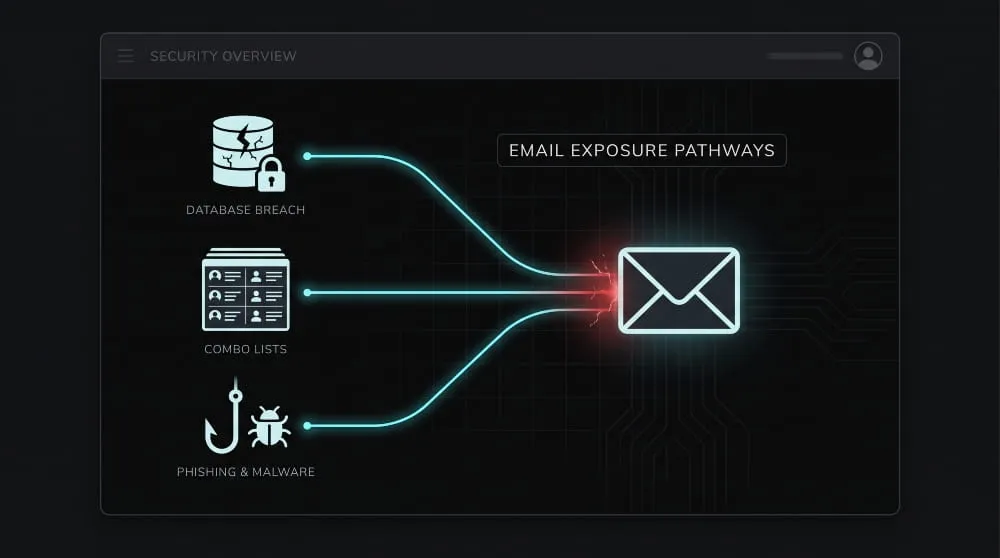
Your email ends up on the dark web through one of three main paths: it was exposed in a company’s data breach, it was bundled into a stolen-credential list traded between attackers, or it was harvested directly from your device through phishing or malware. In almost every case, the exposure occurs somewhere other than your inbox; your email account itself doesn’t need to be hacked for the address to circulate.
Third-Party Data Breaches
The most common route is a data breach at a company you have an account with, a retailer, an app, a forum, an old service you signed up for years ago and forgot about. When that company’s database is stolen, everything tied to your account (email, hashed password, sometimes more) goes with it, and the stolen file eventually gets posted, sold, or traded on dark web forums and marketplaces.
This is why a single email address can appear in multiple, unrelated alerts over time. Each new breach at a different company is a separate exposure event, even though you never did anything differently yourself. Have I Been Pwned, one of the largest public breach-tracking databases, currently indexes over 14 billion breached accounts across more than 800 known breaches, a rough sense of just how many separate incidents are feeding into these lists.
Credential-Stuffing Lists and Combo Lists
Once your email and password are breached, they often don’t stay in the original leaked file; they’re extracted, merged with data from other breaches, and repackaged into what attackers call “combo lists”: massive text files that pair millions of email-password combinations for use in automated login attempts. These lists are what power credential-stuffing attacks, in which bots try your leaked email-password pair against hundreds of other sites, betting that you reused the same password elsewhere.
This is also why a dark web alert flagging “email and password” is treated as more urgent than an email-only match: it means your credentials are likely already sitting in one of these actively used combo lists, not just a static breach archive.
Phishing and Malware
The third path skips company breaches entirely: attackers get your email directly, either by tricking you into entering it (and often a password) on a fake login page, or by using malware, particularly info-stealer malware, to pull saved credentials straight off your device. Data harvested this way tends to be fresher and more dangerous, since it often comes with an active, currently used password rather than one from an old, already changed account.
Because this route doesn’t depend on any company being breached, it’s the one most within your control to prevent. Recognizing phishing attempts and keeping devices free of malware cut off this source at the point of collection, rather than after the fact.
How to Check If Your Email Is on the Dark Web
You can check if your email is on the dark web by running it through a dark web scanner, a free tool that searches known breach databases and leak sites for a match against your address. Most checks take seconds and don’t require creating an account, though ongoing monitoring usually does.
Free Dark Web Email Scanners and Checkers
Several reputable services offer free, one-time dark web email checks: Have I Been Pwned lets you search an email against its breach index directly, and most credit-monitoring and security-suite providers (Experian, Norton, Google’s own dark web report for Gmail users) offer a similar free lookup, often as a way to get you into their paid monitoring product. A one-time scan tells you what’s already been found; it won’t catch a future breach unless you set up ongoing alerts.
It’s worth running your email through more than one checker, since no single service indexes every breach; a match on one and a clean result on another simply means the second tool’s database doesn’t yet include the breach your email was caught in.
What a Dark Web Scan Actually Searches
A dark web scan works by comparing your email address against a continuously updated index of data pulled from breach dumps, hacking forums, paste sites, and dark web marketplaces. It isn’t manually browsing the dark web in real time; it’s checking your address against records these tools have already collected and cataloged. When there’s a match, the scanner reports it along with any other items found in the same record as your email, such as a password, username, or partial account details.
The quality of a scan depends entirely on the size and freshness of the index behind it; larger, more frequently updated databases like Have I Been Pwned’s catch more matches than smaller or less-maintained ones, which is part of why the same email can come back clean on one checker and flagged on another.
Reading Your Scan Results Correctly
A scan result showing your email was found isn’t a single verdict; the details matter more than the headline. Look at what breach or source it’s attributed to, how recent that breach was, and whether a password or other data was found alongside the email; a match tied to a five-year-old breach where you’ve since changed your password carries far less urgency than one tied to a recent breach with a current password attached.
If the scanner names the breached company, that’s useful context too. The same 2019 Have I Been Pwned dataset resurfaces in checker results for millions of people every year, so recognizing the source can tell you immediately whether you’re looking at an old, already-addressed exposure or something new that needs action.
Can You Remove Your Email From the Dark Web?
No, once your email address has been posted, sold, or shared on the dark web, there’s no reliable way to remove it, because you have no control over the forums, marketplaces, and private files where it’s now stored or copied. The realistic goal isn’t deletion; it’s limiting what that exposed email can be used to do.
Why Full Removal Usually Isn’t Possible
Data on the dark web typically exists in multiple copies across multiple locations almost immediately after a breach; it gets downloaded, re-uploaded, merged into combo lists, and re-shared by different people the moment it’s released, with no central owner or platform you can request a takedown from. Unlike a photo on social media or an old post on a website, there’s no company to contact and no single copy to delete; by the time you know your email was exposed, it may already be duplicated across dozens of files you’ll never see.
Some paid identity-protection services advertise “dark web removal,” but what they’re actually doing is monitoring for new appearances and, in limited cases, submitting takedown requests to specific forums or sites, not scrubbing every existing copy, which isn’t technically achievable.
What You Can Realistically Control
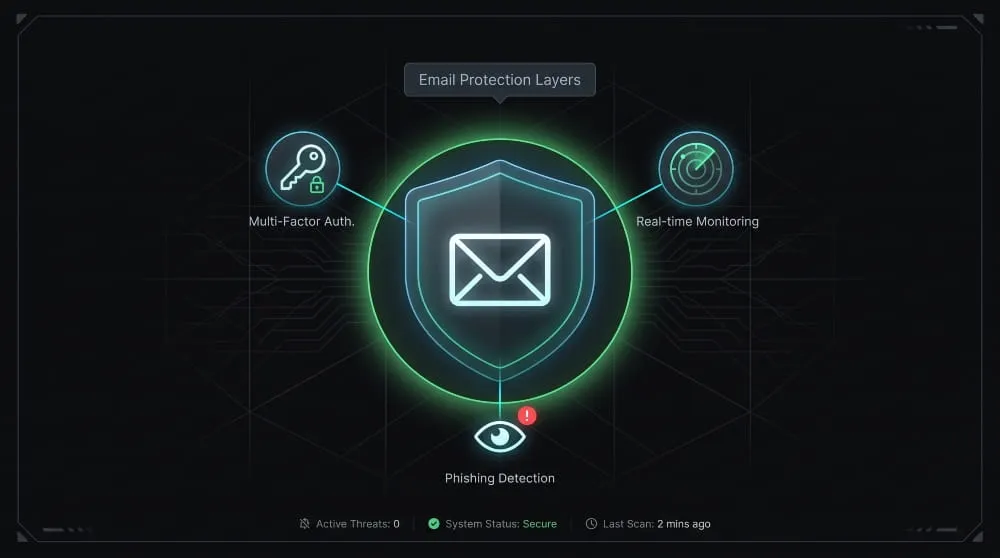
Since the exposed email itself can’t be erased, the effective response is to make that exposure useless to attackers: change the password on any account tied to the leaked email, especially if that password was reused elsewhere, enable multi-factor authentication, and watch for phishing attempts that reference the breach to seem legitimate. None of this removes your email from the dark web, but it closes off the paths an attacker would actually use to act on it.
Google’s own security research has found that adding a recovery phone number or email to an account can block up to 100% of automated bot attacks, illustrating the broader point: the value isn’t in undoing the exposure; it’s in making the exposed data far less useful to whoever has it.
How to Protect Your Email From Future Dark Web Exposure
You can’t stop every company you have an account with from getting breached. Still, you can control how much damage the next breach does, mainly by using unique passwords, staying enrolled in ongoing monitoring, and knowing how to spot the phishing attempts that typically follow a leak.
Password Hygiene and Unique Credentials
The single most effective protection against dark web exposure is using a different, strong password for every account, so that one breached site can’t be used to unlock accounts elsewhere. A password manager makes this practical by generating and storing unique credentials for each login, removing the temptation to reuse a password you can actually remember across multiple sites.
This matters because credential-stuffing attacks, in which leaked email-password pairs are automatically tried against other services, only work when a password has been reused; a unique password confines a breach to the single account it belongs to, no matter how many other sites your email is registered with.
Ongoing Dark Web Monitoring
A one-time scan only tells you about breaches that have already happened and already been indexed; ongoing monitoring is what catches the next one, usually within days of a new leak surfacing rather than months or years later. Most credit bureaus, security suites, and identity-protection services offer this as a standard feature: your email stays registered in their scanning index, and you’re automatically alerted the moment it appears in a new dataset.
The value of ongoing monitoring is speed; the sooner you know about a new exposure, the sooner you can change the affected password before it’s pulled into a combo list and used in a credential-stuffing attempt.
Recognizing Follow-Up Phishing Attempts
A dark web alert is itself a popular phishing template, and it’s common to receive fake “your email was found on the dark web” emails designed to look like they’re from Capital One, Experian, or a similar service, with a link that leads to a credential-harvesting page instead of your real account. Genuine alerts from these providers will never ask you to enter your password by clicking a link in the email; they’ll direct you to log in through the provider’s app or website.
The safest habit is to treat every dark web alert the same way, regardless of how legitimate it looks: close the email, open the provider’s site or app separately, and check your account status there rather than through any link in the message.
Frequently Asked Questions (FAQ’s)
Is my email on the dark web dangerous by itself?
Not especially; an email address alone has limited value to attackers without a paired password or other personal data. The real risk starts when that email is found alongside a password, since that combination can be tried against your other accounts.
What does “email found on dark web” mean on a credit report?
It means a credit-monitoring service scanned dark web sources and matched your registered email to a breach or leak record. It’s a monitoring alert, not a change to your credit score or credit history itself.
How often should I check?
If you’re not enrolled in ongoing monitoring, checking every few months is a reasonable baseline. If you are enrolled, you’ll be alerted automatically the moment a new match appears, so manual checks become mostly unnecessary.