
A password leak happens when passwords end up somewhere they shouldn’t, such as a public database, a hacker forum, or a file shared between criminals. To see whether yours is included, run your saved passwords through your browser or password manager’s checkup and look up your email address in a breach-check service; if anything matches, change it and turn on multi-factor authentication. This guide covers what has been leaked, how leaked password databases work, and what to do next.
What Is a Password Leak?
Password leak meaning in plain terms
A password leak is the exposure of passwords to people who were never meant to have them. The passwords may have been taken from a company’s database, collected from infected devices, or copied from an earlier leak. Once a password is leaked, it can circulate for years, and anyone who finds it can try it on your accounts.
Leak vs breach vs hack: what’s the difference?
A breach is an incident in which an organization’s systems are accessed without permission, a hack is the act of gaining that access, and a leak is the exposure of the resulting data. A breach often causes a leak, but they are not the same: a company can leak data by accident through a misconfigured database without anyone hacking it. Searchers use the terms loosely, and what matters for you is the same in every case: your password is now in someone else’s hands.
How passwords get leaked
Passwords leak in a few main ways. Data breaches at the sites that store them expose whole databases at once, infostealer malware collects passwords from individual devices, phishing tricks people into typing them into fake pages, and misconfigured servers leave them publicly readable. Attackers then merge these sources into larger collections.
How common password leaks are
Password leaks are routine, not rare. Have I Been Pwned, a free breach-notification service, tracks well over ten billion breached accounts from hundreds of separate incidents, and new collections appear every month. If you have had an email address for more than a few years, it is very likely to appear in at least one.
The Biggest Password Leaks (Latest and Largest)
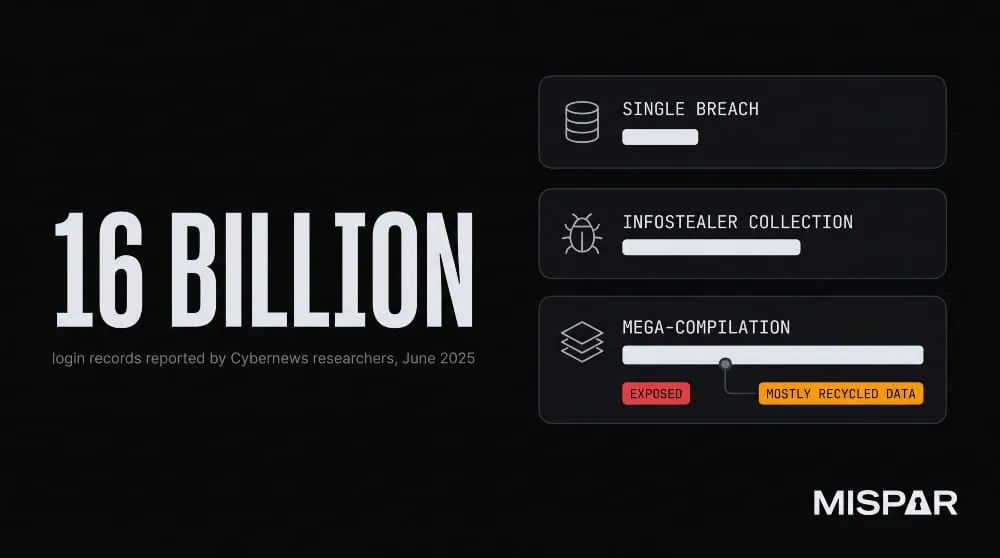
The 16 billion passwords leak: what was reported and whether it was real
In June 2025, researchers at Cybernews reported finding about 16 billion exposed login records spread across roughly 30 datasets, much of it apparently collected by infostealer malware. The exposed data was real, but the headline overstated it: it was not a new breach of a single company, and much of it was recycled from earlier leaks. The practical risk was genuine for anyone whose credentials appeared, even though the “16 billion” figure counts records, not unique people.
Other mega-leaks: 183 million, 149 million and earlier collections
Several other large collections have surfaced. In late 2025, a collection of about 183 million email addresses with passwords, gathered from infostealer logs and credential stuffing lists, was loaded into the Have I Been Pwned service. Security researchers also reported an exposed database of roughly 149 million usernames and passwords, thought to have been harvested by malware. Earlier landmarks include Collection #1 in 2019, with about 773 million email addresses, and RockYou2021, a compilation of roughly 8.4 billion entries.
Why new “record” leaks are mostly compilations of old data
Most record-breaking leaks are compilations, which means they combine many earlier breaches and malware logs into one large file. The total grows because new data is added, but the number of unique passwords is far smaller than the headline suggests, since people reuse the same passwords again and again. A bigger number therefore tells you less about your own risk than whether your passwords are unique.
How to follow password leak news
To stay informed without chasing every headline, follow a breach-notification service that emails you when your address appears in a new leak, and read coverage from established security news outlets rather than social media posts. Treat any story that claims a specific company was hacked with caution until the company or a credible researcher confirms it.
Leaked Password Databases: How They Work
What a leaked password database is
A leaked password database is a searchable collection of credentials that have appeared in past leaks. Defenders use these collections to warn people about exposed passwords and to block weak or known passwords at sign-up. Attackers use similar collections to try stolen passwords on other sites.
Public vs underground collections
Public collections, such as the breach-notification services run by security researchers, exist to protect people. They report that a leak happened and which data types were exposed, and they let you test a password without storing it. Underground collections circulate on criminal forums, marketplaces, and private messaging channels, and they are sold or traded for use in attacks—the two overlap in content but not in purpose.
How a safe lookup works without exposing your password
A well-built lookup never sees your full password. Your device converts the password into a hash, sends only the first few characters of that hash, receives a list of matching hash endings, and then checks for a match locally. This technique, called k-anonymity, lets the service answer “is this password known?” without learning what you typed. If a tool asks you to enter your real password in full and doesn’t explain how it protects it, don’t use it.
Why you shouldn’t search for or download leaked password lists
Downloading leaked password lists gains you nothing and carries real risk. Files advertised as leaks are frequently bundled with malware or used to scam people; many are fake or years out of date, and possessing stolen credential data can create legal trouble. A safe lookup answers the only question you really need: whether your passwords are exposed.
How to Check If Your Password Has Been Leaked
Has my password been leaked? A step-by-step check
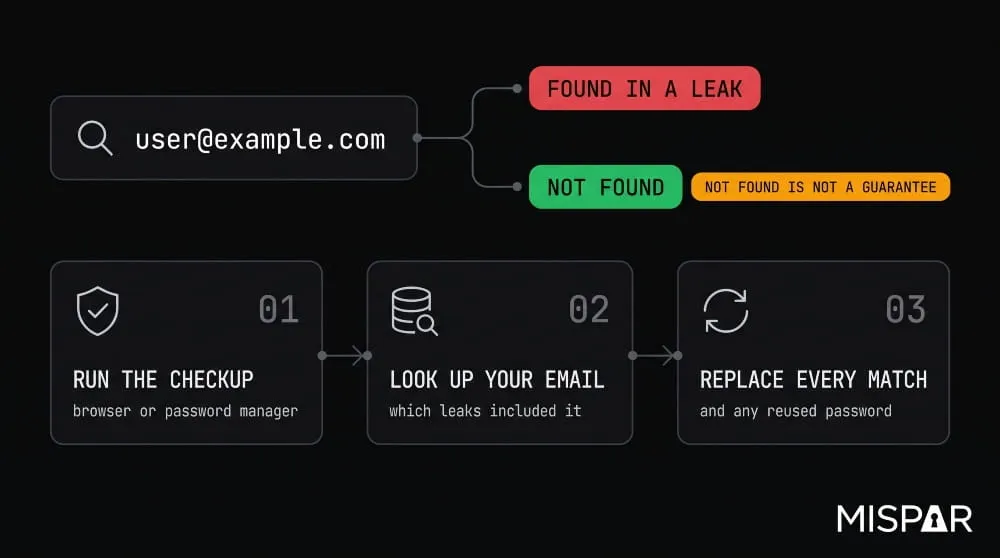
To check, take three steps. First, run the built-in checkup in your browser or password manager, which compares your saved passwords against known leaked lists. Second, look up your email address in a breach-check service to see which leaks included it. Third, replace every flagged password and any other account where you reused it. Never type your real passwords into an unfamiliar website to test them.
What “what passwords were leaked” actually tells you
When people ask what passwords were leaked, the useful answer is which of their own passwords appear in known leaks, not a list of everyone’s passwords. Breach services show which incident exposed your email address and which data types were involved, such as email addresses, passwords, or password hashes, and they generally do not display the passwords themselves. To learn which of your passwords were affected, compare the breach results with the passwords you used on those sites.
Checking your email and domain exposure
The Email Breach Check tool shows which known leaks included your email address, helping you identify the accounts most likely to have an exposed password. For a company, checking a single address isn’t enough, because exposure can affect many staff addresses in the same domain at once.
Reading the result: found, not found, and what neither means
A found result means the password or email appears in a known leak, so treat the password as compromised and replace it. A not-found result means it did not appear in the datasets the service has, which is encouraging but not a guarantee, because many leaks never become public. Neither result proves whether someone accessed your account. Both are prompts to use unique passwords and multi-factor authentication regardless.
What to Do After a Password Leak
Change the leaked password and every place you reused it.
Change the leaked password straight away, starting with your email and financial accounts. Then change it on every other site where you used the same password or a close variation, because attackers try leaked passwords across many services. If you can’t sign in, use the site’s password reset.
Replace it with a strong, unique one.
Make the replacement long, random, and used for only one account. A password generator can create one in seconds, and a password manager keeps it so you don’t have to remember it. Avoid small changes to the old password, since attackers expect them.
Turn on multi-factor authentication.
Multi-factor authentication means a leaked password alone is not enough to sign in. Turn it on for every account that offers it, preferring an authenticator app or passkey to text messages. It is the single most effective protection against a password you cannot get back.
Watch for follow-on attacks.
After a leak, expect attackers to try the password elsewhere, a technique known as credential stuffing, and expect phishing messages that use leaked details to look convincing. Watch for unfamiliar sign-in alerts, password reset emails you didn’t request, and unexpected account changes, and treat any of them as a reason to secure the account again.
Why Leaked Passwords Keep Circulating
Breaches, infostealer malware, and combo lists
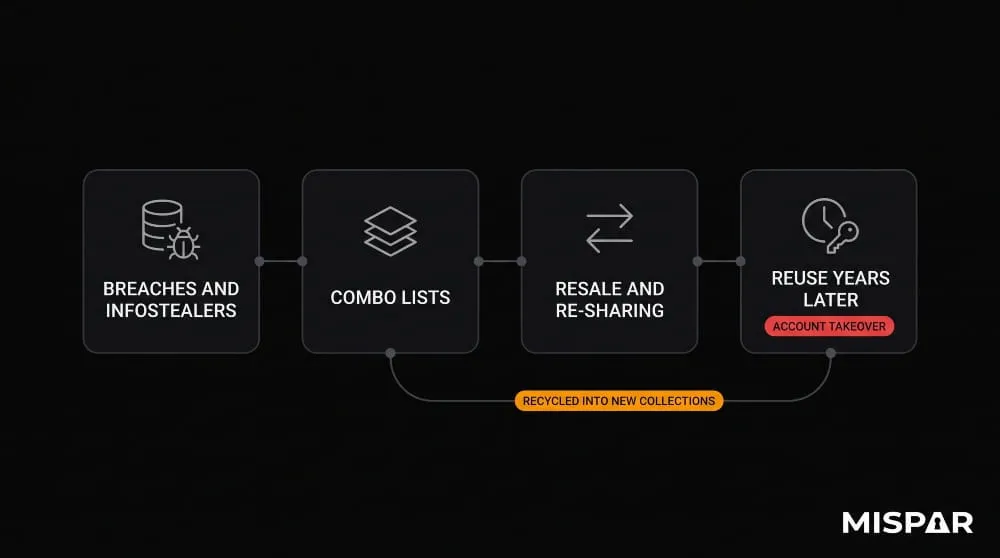
Leaked passwords keep circulating because new sources keep feeding the supply. Breaches add whole databases, infostealer malware adds fresh passwords from infected devices, and attackers merge everything into combo lists, which are large files of email and password pairs built to be tried against many sites at once.
Resale and recycling on dark web markets and messaging channels
Once collected, attackers sell, trade, and re-share credentials on dark web markets, forums, and private messaging channels. Each handoff makes the data harder to remove, and the same entries are repackaged into new collections. By the time a leak makes the news, its contents may have been circulating for months.
Why leaked passwords stay useful for years
Leaked passwords stay useful because many people never change them and reuse the same password across accounts for years. An attacker holding a password from an old leak can still succeed today if the owner kept using it, which is why a leak from several years ago can still lead to a takeover.
Password Leaks in Business and Client Environments
Why one leaked employee password is a company-level risk.
A single leaked employee password can give an attacker a legitimate sign-in to company email, cloud apps, or remote access, and the activity looks normal in the logs. If the employee reused the password, the exposure can spread across several systems. The organization-level view of this problem is covered in leaked credentials.
Continuous monitoring instead of one-off checks
A one-off check shows exposure at one moment, but new leaks appear continuously. Continuous monitoring watches for your domains and users in new leaks and alerts you as they appear, so you can reset passwords before they are used. Credential exposure monitoring provides that for MSSPs across every client domain, and Mispar lets them offer it under their own brand.
Frequently Asked Questions (FAQ)
What is a password leak?
A password leak is the exposure of passwords to people who were not meant to have them, usually through a breach, malware, or a misconfigured database. Once leaked, a password can be tried on other accounts for years.
Has my password been leaked?
Run your saved passwords through your browser or password manager’s checkup and look up your email address in a breach-check service. A match means the password is in circulation and should be replaced.
Was the 16 billion passwords leak real?
The exposed data was real, but the headline overstated it. It was a compilation of roughly 16 billion records from many earlier leaks and malware logs, not a new breach by one company, and far fewer unique people were affected.
What was the biggest password leak ever?
The largest figures come from compilations, such as the 16 billion record collection reported in 2025 and RockYou2021, with about 8.4 billion entries. Because compilations merge older data, the biggest single breach by unique users is a different and smaller number.
How do I check a leaked password database safely?
Use a reputable lookup service that sends only part of your password’s hash, not the full password, so the service never sees what you typed. Never enter your real password into an unfamiliar site, and don’t download leaked lists.
What should I do if my password was leaked?
Change it immediately, change it anywhere you reused it, use a strong unique replacement, turn on multi-factor authentication, and watch your accounts for unfamiliar activity.
How do passwords get leaked?
Through breaches at the sites that store them, infostealer malware on devices, phishing pages that capture what you type, and misconfigured servers that leave data exposed. Attackers then combine these into larger collections.
Do leaked passwords still work years later?
Yes, if you are still using them. Many people never change a leaked password or reuse it on other sites, so an old leak can still lead to an account takeover. Replacing the password is the only reliable fix.