
How to Access the Dark Web | The Complete Safety, Legal & Device Guide
September 7, 2026
Accessing the dark web means using a specialized browser, most commonly Tor, to reach websites that standard browsers and search engines can’t index. It’s a straightforward technical process, not an act that breaks the law itself, though what you do once you’re there can. Despite its reputation, the dark web isn’t some hidden underworld reserved for hackers: roughly 2.5 million people access the Tor network daily, and the majority of that traffic is people browsing ordinary websites anonymously rather than visiting hidden .onion services. Still, going in without the right tools, safety habits, or understanding of the legal gray areas is how most people run into trouble. This guide walks through exactly what you need, how to get set up safely on any device, and what to know before you go any further.
Is Accessing the Dark Web Legal?
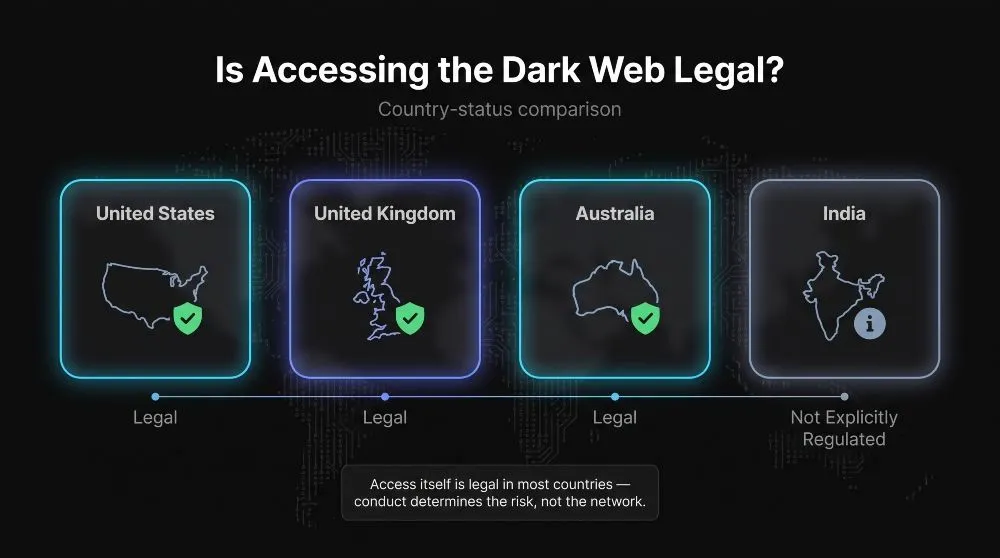
Yes, in the vast majority of countries, including the US, UK, Australia, and India, simply accessing the dark web is legal. What determines legality isn’t the act of connecting through Tor, but what you do once you’re there: browsing is lawful, while buying stolen data, drugs, or illicit goods is not, regardless of what network it happens on.
Legal Status by Country (US, UK, Australia, India)
In the United States, no federal law prohibits downloading Tor, connecting to the network, or visiting .onion sites; the Tor Project itself is a registered US nonprofit, and federal law targets specific offenses like fraud or trafficking, not the tool used to reach them. The United Kingdom takes the same position: the Computer Misuse Act 1990 covers unauthorized access to computer systems, but browsing the dark web doesn’t fall under that law, and UK authorities instead prosecute the purchase of drugs, weapons, or counterfeit documents through dark web markets. Australia has no legislation restricting access to Tor or the dark web either; Australian Federal Police operations have consistently targeted the underlying criminal activity, drug markets, and exploitation content, rather than access itself. In India, accessing the dark web isn’t explicitly addressed or prohibited under current law. However, the IT Act and related statutes fully apply to any illegal activity conducted there, and Indian authorities have increasingly pursued cybercrime cases originating from dark web transactions.
What Actually Makes Dark Web Activity Illegal
The dark web is infrastructure, not a crime; the law follows the conduct, not the network it happens on. Activity becomes illegal the moment it involves things that are already illegal anywhere else: purchasing drugs or weapons, trading stolen credentials or financial data, accessing abusive material, or engaging in fraud and unauthorized system access. None of these become more or less illegal because Tor was involved, and none of them are made safer by anonymity; international law enforcement has repeatedly dismantled major dark web marketplaces not by breaking Tor’s encryption, but by exploiting operational mistakes made by the people running them. In practice, this means the overwhelming majority of dark web traffic, journalists protecting sources, researchers, privacy-conscious users, people in heavily censored regions, never crosses a legal line at all.
What You Need Before You Start
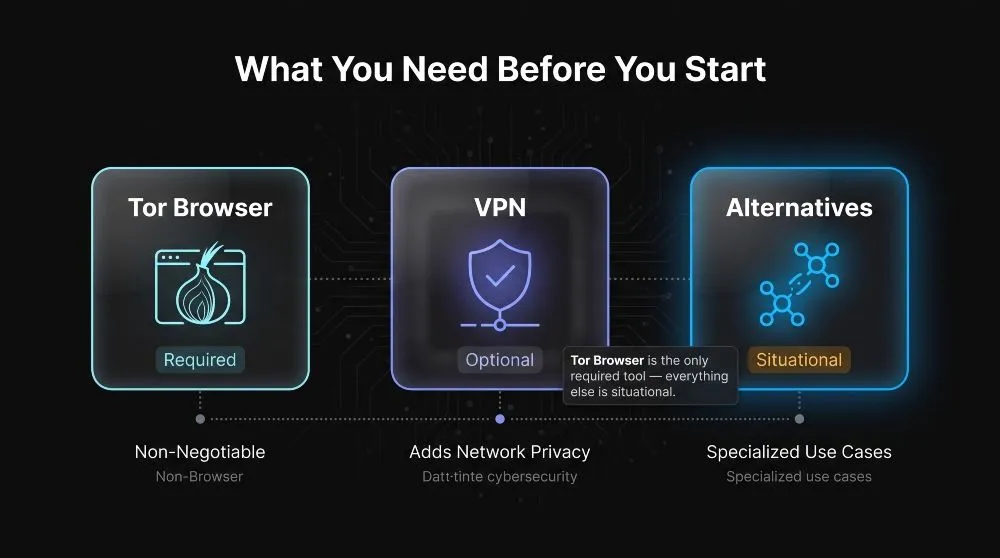
Before you can access the dark web, you need one specific piece of software, Tor Browser, and a clear-eyed understanding of what a VPN can and can’t add to that setup. Nothing else is strictly required, though a few alternative tools are available for those who want a different approach.
Tor Browser, Why It’s the Standard Tool
Tor Browser is the tool virtually everyone uses to reach the dark web, and for good reason: it’s free, open-source, and built specifically to route your traffic through three encrypted relays. Hence, no single point in the chain knows both who you are and what you’re visiting. It’s maintained by the Tor Project, a registered US nonprofit, and is downloadable only from its official site; anywhere else carries a real risk of a tampered build. Despite its reputation, Tor isn’t a niche tool for illicit activity; the network serves roughly 2.5 million daily users, and Tor Project metrics show the large majority are browsing ordinary websites anonymously rather than .onion addresses. Standard browsers like Chrome or Safari simply can’t resolve .onion addresses at all, which is why Tor, not a plugin or setting, is the non-negotiable starting point.
VPN + Tor: Do You Need Both?
A VPN is optional, not required, and it changes what Tor protects against rather than adding a new layer of the same protection. Tor already hides which sites you visit from your internet provider and hides your identity from the sites you visit; what it doesn’t hide is that you’re using Tor in the first place, which is visible to your ISP—adding a VPN before Tor (a setup often called Tor-over-VPN) masks that you’re connecting to Tor at all, which matters mainly if you’re in a region that monitors or restricts Tor use, or if you’d simply rather your provider not know. For most everyday users in countries where Tor is unrestricted, Tor Browser alone is sufficient; a VPN is worth adding when discretion from your network provider specifically is part of your threat model, not as a default requirement.
Alternatives to Tor (I2P, Freenet)
Tor isn’t the only option, though it’s the most widely used and the easiest to start with. I2P (the Invisible Internet Project) is built around routing traffic entirely within its own network rather than exiting to the regular internet, which makes it a common choice for private messaging, forums, and file-sharing among people already inside its ecosystem. Still, it has a much smaller user base and fewer accessible sites than Tor. Freenet takes a different approach entirely, functioning as a distributed, censorship-resistant data store where content is cached across users’ machines rather than hosted on a traditional server, making it better suited to publishing static content anonymously than to interactive browsing. Both are legitimate, actively maintained tools, but neither replaces Tor as the default entry point; they’re better understood as specialized options for specific use cases once you already understand the basics.
Step-by-Step: How to Access the Dark Web Safely
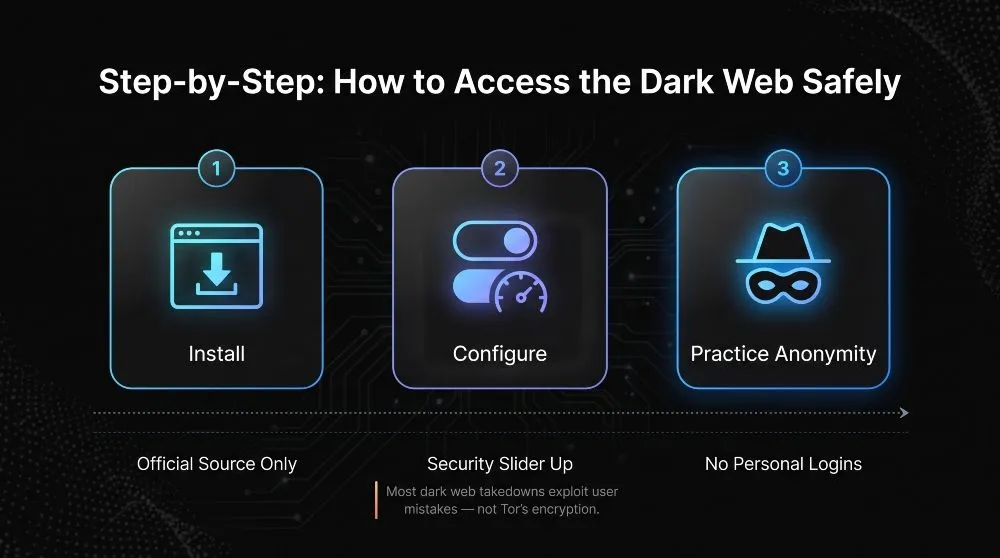
Accessing the dark web safely comes down to three things done in order: get Tor Browser from the right source, adjust its security settings before you start browsing, and follow a few habits that keep your identity and device protected the entire time. Skipping any one of these is where most avoidable problems come from.
Downloading and Installing Tor Browser
Go directly to torproject.org and download Tor Browser from there, never from a third-party app store, mirror site, or download aggregator, since tampered builds designed to deanonymize or infect users are a real and documented risk. The Tor Project signs every release, and its site provides instructions for verifying that signature if you want extra assurance the file hasn’t been altered; this step is optional for casual use but worth doing if you’re on a platform where fake Tor installers have circulated. Installation itself is no different from any other browser: run the installer, launch the app, and Tor will connect to the network and automatically establish your three-relay circuit. No account, sign-up, or configuration file is required to get started.
Configuring Security Settings Before You Browse
Before visiting any .onion site, open Tor Browser’s built-in Security Settings and move the slider from “Standard” to “Safer” or “Safest,” depending on your risk tolerance. “Safer” disables JavaScript on non-HTTPS sites and some media formats that have historically been used to fingerprint or deanonymize users; “Safest” disables JavaScript everywhere and blocks most video, audio, and image formats, trading some site functionality for meaningfully stronger protection. It’s also worth resisting the urge to maximize the browser window; Tor intentionally uses a standard window size so your screen resolution can’t be used to help identify you among other users, and resizing it undermines that protection. These settings take under a minute to configure and are the single highest-impact step in this entire process.
Best Practices for Staying Anonymous
Once you’re set up, a handful of habits do most of the work of keeping you anonymous. Never log in to personal accounts, email, banking, or social media while using Tor, since doing so directly links your real identity to your Tor session, regardless of how well the network itself anonymizes your traffic. Avoid downloading files or opening documents retrieved through Tor while still connected, as they can phone home or execute code that reveals your real IP address outside the browser’s protection. Stick to well-documented, reputable .onion directories and services rather than following links from unverified forums, and keep Tor Browser updated, since security patches address real deanonymization techniques as they’re discovered. Multiple major dark web marketplace takedowns, AlphaBay and Hansa among the most notable, were the result of operational mistakes by users and operators, not flaws in Tor’s encryption itself, which is a useful reminder that anonymity tools only protect you as well as your habits do.
How to Access the Dark Web on Your Device
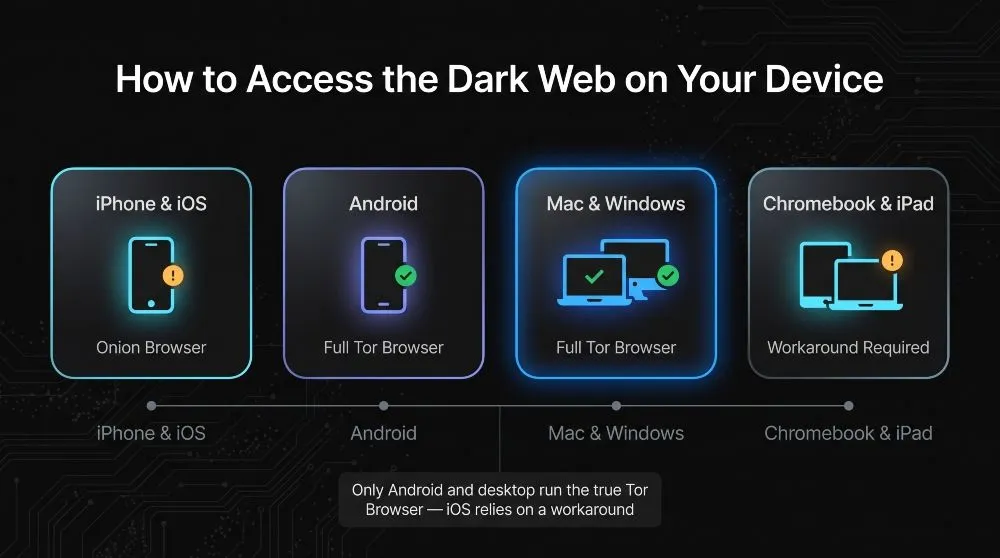
You can access the dark web from virtually any modern device, but the tool and setup process vary by platform; Android and desktop use the real Tor Browser. At the same time, iOS relies on a Tor Project–endorsed alternative because of Apple’s platform restrictions.
iPhone & iOS
There is no official Tor Browser for iPhone or iPad, and there never will be under Apple’s current rules: iOS requires every browser to use Apple’s WebKit engine, and Tor Browser is built on Firefox’s Gecko engine, which Apple doesn’t allow to be ported to iOS. Instead, the Tor Project officially recommends Onion Browser, an open-source app built specifically for iOS that routes traffic through the Tor network and can reach .onion sites. However, its WebKit foundation means it has weaker fingerprinting protection than the real Tor Browser on desktop. Worth knowing before you rely on it for anything sensitive: a WebKit vulnerability disclosed in August 2026 was found to expose users’ real IP addresses even when using Onion Browser, and the Tor Project has advised against using it on iOS for highly sensitive browsing until Apple resolves the underlying flaw. For casual, lower-risk use, it remains the best option available on the platform.
Android
Android is the one mobile platform with a genuine, full-featured Tor Browser, downloadable directly from torproject.org or the Google Play Store, and it behaves essentially the same as the desktop version: same relay routing, same built-in security slider, same ability to resolve .onion addresses natively. This matters more than it might seem: mobile devices now account for a meaningful share of all Tor traffic, and Android users can participate in that without the compromises iOS users must accept. Installation is identical to any other Android app: download, open, and Tor Browser connects to the network automatically, with no separate VPN app or workaround required, as iOS demands.
Mac & Windows PC
Desktop is where Tor Browser works exactly as intended, and Mac and Windows installations are functionally identical: download the installer from torproject.org, run it, and launch the browser. Because desktop operating systems don’t impose the engine restrictions Apple enforces on iOS, Tor Browser ships with its full privacy toolkit intact; NoScript, HTTPS-Everywhere, and complete fingerprinting protections all work as designed. This is also where the security slider covered earlier in this guide has the most effect, since desktop Tor Browser gives you full control over JavaScript, media, and script behavior in a way mobile platforms don’t always allow.
Chromebook & iPad
Both of these fall into an awkward middle ground. Chromebooks don’t have an official, dedicated Tor Browser build. Still, most modern models support Android apps through the Google Play Store, so installing the Android version of Tor Browser is the most reliable path; performance and privacy protections match the Android experience described above. However, older Chromebooks without Play Store support won’t have this option at all. iPad follows the same rules as iPhone: no official Tor Browser exists because iPadOS enforces the same WebKit requirement as iOS, so Onion Browser is the Tor Project’s recommended option there too, with the same caveats about weaker fingerprinting protection compared to a true desktop or Android install.
Is the Dark Web Safe? Risks You Should Know
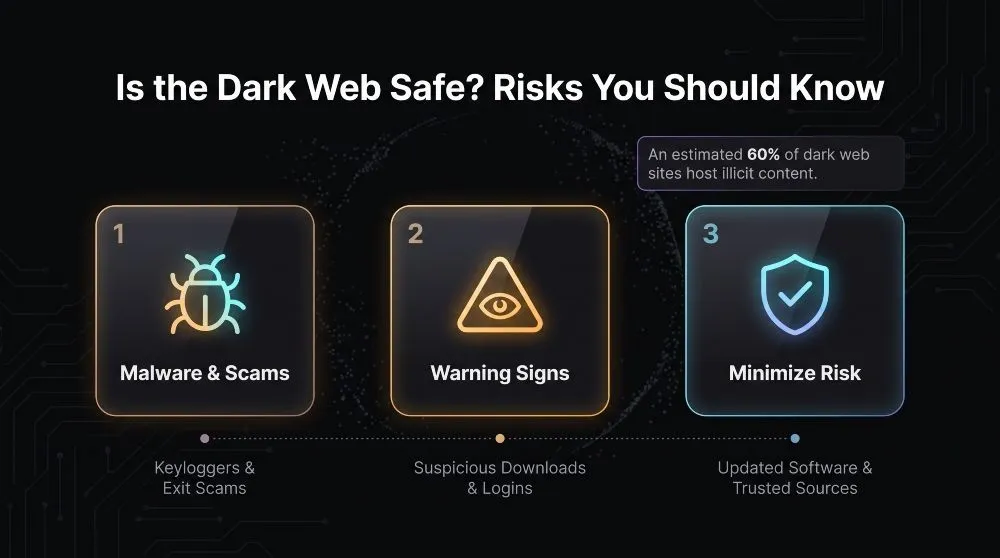
The dark web itself isn’t inherently dangerous. Still, a large share of what’s on it is: research estimates roughly 60% of dark web sites host illicit content, stolen data, drugs, weapons, fraud services, and hacking tools, which means the odds of encountering something harmful are meaningfully higher than on the regular internet. Safety comes down to knowing what you’re likely to run into and taking a few concrete steps to avoid it.
Malware, Scams, and Illegal Marketplaces
Malware is one of the most common threats you’ll encounter, with keyloggers, Trojans, and spyware regularly distributed through dark web sites and forums specifically designed to infect visitors’ devices and steal sensitive information. Marketplaces carry their own risks: even setting aside the legal exposure of buying anything illegal, these platforms have a well-documented history of exit scams, in which operators simply disappear with users’ funds once enough trust and volume have built up. Several major marketplaces have collapsed this way in recent years, with vendors and buyers scattering to successor sites afterward. Phishing is also widespread, often disguised as login pages for popular marketplaces or wallets designed to harvest credentials the moment you enter them. None of this requires bad luck to encounter; it’s simply a large share of what’s actually there.
Signs You’ve Landed on a Malicious Site
A few warning signs consistently precede trouble. A site asking you to download a file, run software, or install a browser extension before you can view content is one of the clearest red flags; legitimate .onion sites don’t need to execute code on your device to display a page. Login pages that look slightly off, unusual URLs, inconsistent branding, or forms requesting more information than the service should need are frequently phishing clones designed to harvest credentials rather than the real thing. Aggressive pop-ups, countdown timers pushing urgency, or claims of an unbeatable deal are the same manipulation tactics used on the surface web, just with less accountability behind them, and they should be treated with equal or greater suspicion here.
How to Minimize Your Risk
The habits that reduce risk are mostly about limiting what you expose and what you trust. Keep Tor Browser on its “Safer” or “Safest” security setting rather than “Standard” when exploring unfamiliar sites, since this turns off much of the scripting and media that malware relies on to execute. Never download files or enter credentials you use elsewhere, and treat any site requesting software installation as a threat by default rather than an exception. Stick to well-documented, reputable directories and known .onion addresses rather than following links from unverified forums or search results, since dark web search engines don’t vet or rank for legitimacy the way Google does. Finally, keep your operating system and Tor Browser fully updated; most successful attacks exploit known, already-patched vulnerabilities rather than novel ones, which makes staying current one of the highest-leverage things you can do.
Who Actually Uses the Dark Web (and Why)
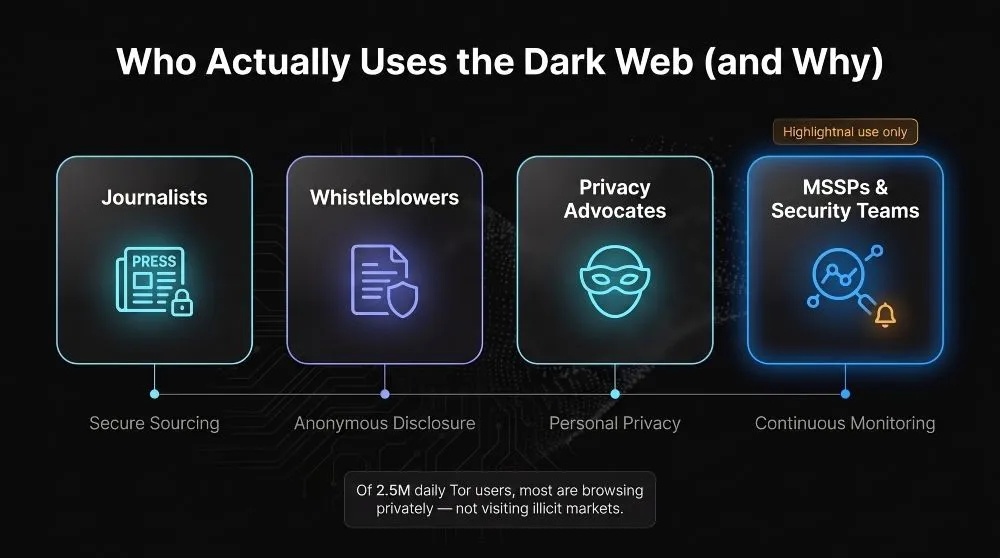
The dark web’s population is far more mundane than its reputation suggests: most of its regular users are journalists, researchers, privacy-conscious individuals, and, increasingly, security teams monitoring it for threats rather than browsing it out of curiosity. The common thread across nearly all legitimate uses is confidentiality: the need to communicate, publish, or gather information without revealing who’s involved.
Legitimate Uses (Journalists, Whistleblowers, Privacy Advocates)
Journalism is one of the dark web’s most established legitimate use cases; major outlets including the BBC, the New York Times, and ProPublica maintain .onion mirrors specifically so readers in heavily censored countries can reach them, and many newsrooms run SecureDrop, a system built to let whistleblowers submit sensitive documents without revealing their identity. Privacy advocates and everyday users make up a large share of the rest: services like Proton Mail and Mullvad VPN offer .onion endpoints so people can use them without their traffic ever touching the public DNS system, and activists living under governments that block independent media rely on the same Tor infrastructure to get around that filtering. This is reflected in the numbers: of the roughly 2.5 million people who connect to Tor daily, the large majority are simply browsing ordinary websites privately rather than visiting dark web marketplaces or illicit content.
Why Businesses and MSSPs Monitor the Dark Web Instead of Browsing It Manually
For security teams and MSSPs, the dark web isn’t somewhere to browse; it’s somewhere to watch. Stolen credentials are now the most common initial access point attackers use to breach organizations, and with an estimated 15 billion compromised credentials already circulating across dark web marketplaces and forums, manually checking whether a client’s employees or systems show up there simply isn’t a realistic process to run by hand. That’s why MSSPs increasingly rely on automated dark web monitoring instead of manual investigation: continuous scanning surfaces leaked credentials, mentions of a client’s domain, or early chatter about a planned attack, allowing action before it turns into a breach, rather than discovering the exposure only after damage is already done. The distinction matters: accessing the dark web yourself answers “what’s out there,” while monitoring it answers “is my organization already exposed,” which is the question that actually drives security decisions.
Manually checking the dark web for leaked client credentials doesn’t scale past a handful of accounts, and by the time something surfaces in a forum post or a stealer log dump, an attacker has often already had it for weeks. Mispar runs that monitoring continuously in the background, so instead of searching the dark web yourself, you get an alert the moment a client’s credentials, domain, or systems show up somewhere they shouldn’t. [See how Mispar monitors the dark web for MSSPs →]
Frequently Asked Questions (FAQ’s)
Can You Access the Dark Web on Chrome, DuckDuckGo, or Brave?
Chrome and DuckDuckGo can’t resolve .onion addresses at all, so they’re not an option. Brave is the exception; its desktop and mobile apps include a built-in “Private Window with Tor” that routes traffic through the Tor network, though with weaker anonymity than the dedicated Tor Browser.
Can You Accidentally End Up on the Dark Web?
No, .onion sites only load through Tor-enabled browsers, so a regular search engine or browser can’t stumble onto one by accident. You’d need to deliberately install Tor (or a Tor-enabled browser) and enter a specific .onion address to get there.
Is There a Way to Access It Without Tor?
Yes, alternatives like I2P and Freenet reach parts of the dark web without relying on Tor’s network, and Brave’s built-in Tor mode lets you use Tor without installing a separate app. That said, none of them match the dedicated Tor Browser for anonymity, so they’re better suited to specific use cases than as a default replacement.