
What Are Dark Web Links (.onion Addresses)? How to Find Legitimate Ones Safely (2026 Guide)
September 18, 2026
Dark web links, more accurately called .onion addresses, are website addresses that only work inside the Tor network, using long, randomized strings instead of normal domain names like “.com.” They exist because Tor routes traffic through multiple encrypted relays to hide both the visitor’s and the site’s identity, and a standard browser can’t resolve them. As of recent estimates, the Tor Project has tracked roughly one million active .onion addresses at any given time, a tiny fraction of the broader web, and most of them short-lived. Visiting a dark web link isn’t illegal on its own in most countries; what matters legally is what’s hosted there and what you do once you arrive. This guide explains how .onion links work, how to open one safely if you have a legitimate reason, and where to find trustworthy examples instead of the scam-riddled “link list” sites that dominate search results.
What Is a Dark Web Link?
A dark web link is the address of a site hosted as a Tor hidden service, a site that only loads through the Tor Browser and can’t be reached with Chrome, Safari, or any standard browser typing the address into the bar. Instead of resolving through the public Domain Name System as normal websites do, a dark web link is generated directly from a cryptographic key pair, which is why the address looks like a random string of letters and numbers rather than a readable word. The link is also the only way to find the site: there’s no central index or search engine that crawls the dark web the way Google crawls the surface web, so a working .onion address has to be shared, bookmarked, or discovered through a dark web search engine before it can be visited at all.
The .onion Domain Explained.
Every dark web link ends in the .onion suffix, which tells the Tor Browser to route the request through the Tor network instead of trying (and failing) to look it up on the regular internet. The string before it, typically 56 characters in the current version of the protocol, isn’t chosen by the site owner the way a company picks a .com name; it’s derived mathematically from the service’s public key, which is also what lets Tor verify it’s connecting to the real site and not an impostor. That’s a meaningful difference from phishing on the surface web, where a fake domain can closely mimic a real one. On Tor, spoofing an exact .onion address is computationally impractical. However, scammers get around this by publishing entirely different, fake links on “dark web link list” sites and hoping visitors don’t know the real one to compare against.
How Dark Web Links Differ From Normal URLs
A normal URL is built for humans and search engines: short, memorable, indexed, and reachable from any browser or network. A dark web link is built for the opposite: anonymity and resistance to takedown, which means it’s long, unmemorable, unindexed by mainstream search engines, and reachable only through Tor’s layered relay system. Normal URLs also tend to be permanent; dark web links often aren’t. Hidden services go offline, get seized, or get abandoned far more often than ordinary websites, which is why “verified” or “working” link lists go stale within weeks and why so many searches for dark web links turn up dead addresses or malicious lookalikes instead of the real thing.
How Dark Web Links Work (Tor Routing)
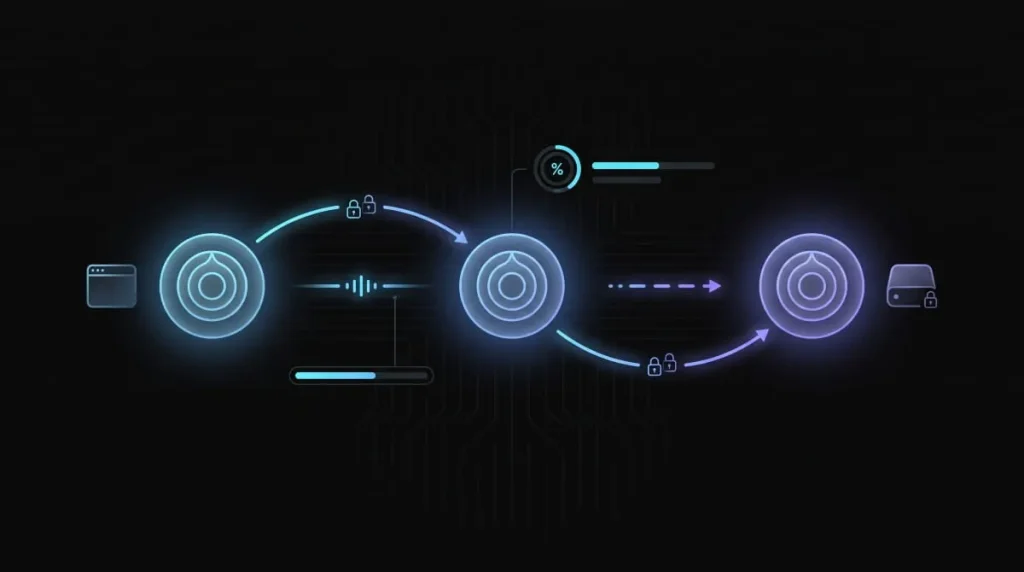
Dark web links work by routing every request through at least three encrypted relays inside the Tor network before it reaches its destination, which separates them from ordinary web links and explains why they can’t be opened in a regular browser. Each relay in that path only knows the step immediately before and after it, never the full route, so no single point in the network can see both who’s asking and what they’re asking for. That layered encryption is where “Tor” (The Onion Router) gets its name, and it’s the same routing structure that makes the .onion address format necessary: the link itself encodes the cryptographic information the network needs to build an anonymous path to the hidden service.
Why You Need Tor Browser to Open Them
A dark web link only resolves inside the Tor Browser because that’s the only common browser configured to route .onion requests through Tor’s relay network instead of the public DNS system every other browser relies on. Typing a .onion address into Chrome or Safari fails outright; there’s no fallback lookup because .onion isn’t a real top-level domain recognized by the internet’s normal naming system. It’s a special-use domain reserved specifically for Tor traffic. Tor Browser also strips out the kind of tracking scripts, plugins, and fingerprinting data that could otherwise deanonymize a visitor, which is part of why security-conscious users avoid trying to “unblock” dark web links through browser extensions or proxy workarounds; those methods skip the protections that make Tor safe to use in the first place.
Why They’re Long, Random Strings
A dark web link looks random because it isn’t chosen; it’s mathematically derived from the hidden service’s public cryptographic key, so the address and the site’s identity are the same piece of data. Current-generation .onion addresses are 56 characters, encoding enough key information for the network to confirm it’s connecting to the authentic service without a certificate authority or central registrar like normal domains do. This is also the direct explanation for why dark web link lists become outdated so quickly: because there’s no registrar and no renewal system, an address stays valid only as long as the operator keeps that specific key pair active, and once a service shuts down or rotates its keys, the old link is permanently dead rather than reassignable to someone else.
Are Dark Web Links Illegal to Visit?
Visiting a dark web link is legal in most countries, including the United States, the UK, and the EU; the Tor network itself is a legitimate privacy tool, and opening a .onion address carries no legal weight on its own. What determines legality isn’t the link but what’s on the other end of it: browsing a news organization’s .onion mirror is no different, legally, than reading its regular website, while accessing a site built around stolen data, weapons, or exploitative material is illegal regardless of which network it’s hosted on. This distinction matters because many search results conflate “dark web” with “illegal” outright, when in reality Tor was originally developed by the U.S. Naval Research Laboratory and is used daily by journalists, researchers, and ordinary privacy-conscious users with no illegal intent.
Visiting vs. What’s Hosted There: The Legal Distinction
The clearest way to think about it: the dark web link is the address, not the content, and courts and law enforcement generally treat them the same way they’d treat a normal URL; the crime is in the activity, not the routing protocol used to reach it. Merely loading a page doesn’t constitute participation in whatever illegal activity might be advertised there, but actively engaging in transactions, downloads, or communications tied to illegal goods or services does, and ignorance of what a site contains isn’t a reliable legal shield once you’ve engaged with it. That’s part of why unverified dark web link lists are risky in more than one way: following one unthinkingly can land a visitor on something illegal, with no way to know that in advance.
Country-by-Country Legality Notes
Legal treatment of Tor and dark web access varies by country; a handful of governments restrict or actively monitor Tor use, and local laws around what constitutes “access” can differ from the U.S. and EU framing above. For a full country-by-country breakdown, safe access steps, and device-specific setup instructions, see our complete guide on accessing the dark web.
How to Safely Open a Dark Web Link
Opening a dark web link safely starts with downloading Tor Browser from the official Tor Project website, since it’s purpose-built to handle .onion routing and strips out the tracking and fingerprinting risks a regular browser carries into that environment. From there, the link itself works like any other URL: paste it into the address bar, and Tor handles the routing, but the safety of the experience depends far more on precautions taken before and during the visit than on the link itself. That distinction matters because most of the risk associated with dark web links comes not from the Tor protocol, which is well-audited and widely used by security researchers, but from what a visitor does once a page loads.
Tor Browser Setup Basics
Tor Browser installs like any standard application and requires no special configuration to route .onion traffic correctly; it’s pre-configured out of the box, which is deliberate, since manually tweaking its default settings is one of the most common ways users accidentally weaken their own anonymity. On first launch, use the built-in security slider to raise protection levels, especially by disabling JavaScript on unfamiliar .onion sites, since scripts are a common vector for deanonymization attempts. For a full walkthrough of installation across desktop and mobile devices, our guide on accessing the dark web covers device-specific setup in more depth.
Safety Precautions: VPN, No Personal Info, No Downloads
Pairing Tor with a reputable VPN adds a layer that hides Tor usage from an internet service provider, which some users prefer, even though Tor’s routing already anonymizes traffic once inside the network. Beyond that, the more consequential habits are behavioral rather than technical: never enter real names, email addresses, passwords, or payment details on a dark web site, since there’s no way to verify who actually operates it or how that data will be used. Downloading files from dark web links carries outsized risk as well; malware distribution is common on unverified sites, and a file that looks like a PDF or image can carry a payload that compromises the device the moment it’s opened. Hence, the safest approach is to avoid downloads from any dark web link whose operator and reputation can’t be independently confirmed.
Dark Web Search Engines & Directories
Dark web search engines are Tor-based tools that index a portion of .onion sites the way Google indexes the surface web, and they’re the closest thing to a reliable starting point for finding dark web links without relying on the scam-prone list sites that dominate regular search results. None of them come close to comprehensive coverage, because there’s no central registry of .onion addresses; every dark web search engine can only index what it’s managed to crawl or what’s been manually submitted to it, which means results are partial, frequently outdated, and vary significantly from one engine to the next.
Ahmia, Torch, Haystak, Candle: What They Are and Their Limits
Ahmia is among the most established dark web search engines and one of the few that actively filters out child exploitation material and other clearly illegal content from its index, which makes it a comparatively safer starting point than most alternatives. Torch bills itself as one of the oldest and largest dark web search engines by index size, though “largest” doesn’t mean vetted; it applies minimal filtering, so results mix legitimate sites with scams and illegal listings indiscriminately. Haystak advertises a substantially larger index than most competitors and offers a paid tier with additional search features. Still, like Torch, it does little to separate trustworthy links from dead or malicious ones. Candle takes a stripped-down, Google-like approach with a minimal interface, but its index is smaller and updates less frequently than the others. Across all four, the shared limitation is the same: none can verify that a listed site is safe, legitimate, or even still online, so treat any dark web link surfaced through them as unverified until independently confirmed.
Well-Known Legitimate Dark Web Sites
A small number of mainstream, trustworthy organizations maintain official .onion mirrors of their regular websites, and these are the safest possible entry point for anyone curious about dark web links without wanting to wade through unverified directories. Unlike most of what circulates on link-list sites, these are published and maintained directly by the organizations themselves, so there’s no question of authenticity the way there is with a random address pulled from a search engine result.
News Organizations and Privacy Tools With .onion Mirrors
The New York Times operates an official .onion version of its site, launched specifically to give readers in countries with internet censorship a way to access its reporting through Tor, and it functions identically to the standard nytimes.com. Other major outlets, including the BBC and ProPublica, maintain their own .onion mirrors for the same reason, circumventing state-level blocking while preserving reader anonymity. Privacy-focused tools have followed the same pattern: DuckDuckGo runs a dark web version of its search engine so users can search privately without ever leaving the Tor network, and it works exactly like its surface-web counterpart. What ties all of these together is that they’re extensions of organizations that already exist publicly and transparently, a meaningfully different category from anonymous marketplaces or forums, where there’s no equivalent way to confirm who’s actually running the site.
Why Most “Dark Web Link List” Sites Are Scams or Malware
Most sites claiming to offer an up-to-date “dark web link list” are either scams, malware distribution points, or both, a predictable outcome of a system with no central registry, no verification authority, and an audience that’s often actively trying to avoid scrutiny. Because there’s no way to confirm who published a list or whether its links are what they claim, these pages have become one of the most common vectors for defrauding people who are simply curious about the dark web and not looking for anything illegal themselves.
Common Red Flags
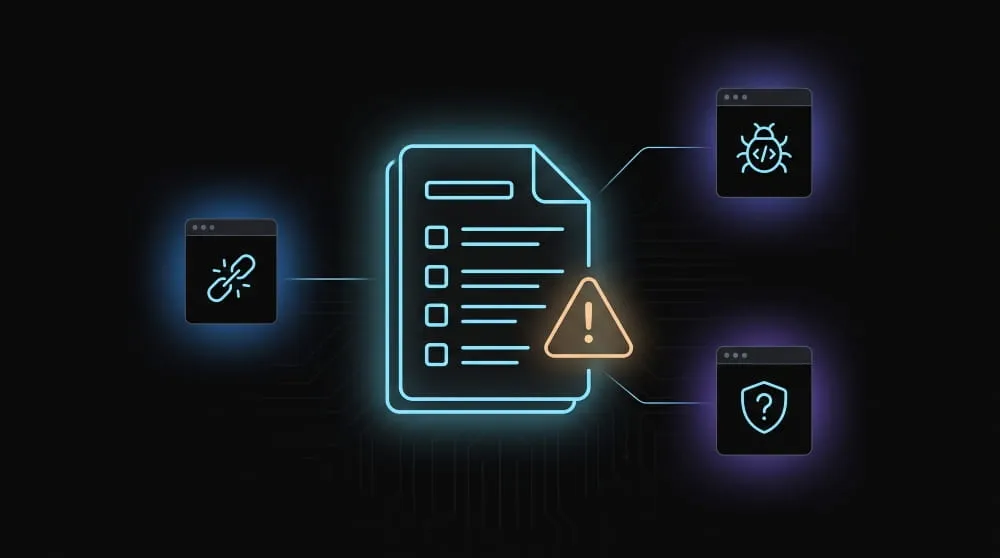
A link list that promises “100% verified and working” addresses is a red flag, since no third party can verify a dark web link’s ownership or safety; legitimate resources describe uncertainty rather than certainty. Lists padded with dozens of marketplace or forum links, especially ones referencing well-known defunct sites like Silk Road, are often bait: some lead to law-enforcement honeypots. In contrast, others point to near-identical phishing clones designed to harvest credentials the moment a visitor tries to log in. Pages that push a “dark web link finder” browser extension or ask a visitor to download software before revealing the list are close to a guaranteed malware vector, since no legitimate dark web search engine requires an add-on to function. And any list that surfaces obviously illegal categories, stolen financial data, weapons, or worse, isn’t a resource at all; it’s either fabricated to generate ad traffic or a genuine gateway to criminal activity, and neither is worth the risk of clicking through.
Frequently Asked Questions (FAQ)
Are dark web links illegal to visit?
No, visiting a .onion address is legal in most countries, including the U.S. and the UK. Legally, what matters is the content or activity at the destination, not loading the link.
Do dark web links expire?
Yes, often. Without a central registrar, a link stays valid only as long as its operator keeps the underlying service running, so lists go stale within weeks or months.
Can I open a dark web link in Chrome or Safari?
No. .onion addresses resolve only through Tor Browser, since regular browsers use standard DNS lookups that can’t route .onion traffic.
Is it safe to click links from a “dark web link list” website?
Generally no. Most such lists can’t be verified, and many lead to phishing clones, malware, or defunct sites; official mirrors from known organizations are a safer starting point.
Do I need a VPN to open a dark web link?
It’s not required, since Tor already anonymizes traffic, but a reputable VPN adds a layer that hides Tor usage from your internet provider.